Table tennis: Scoreboard for iPad

ITTF · Best of 5 or 7

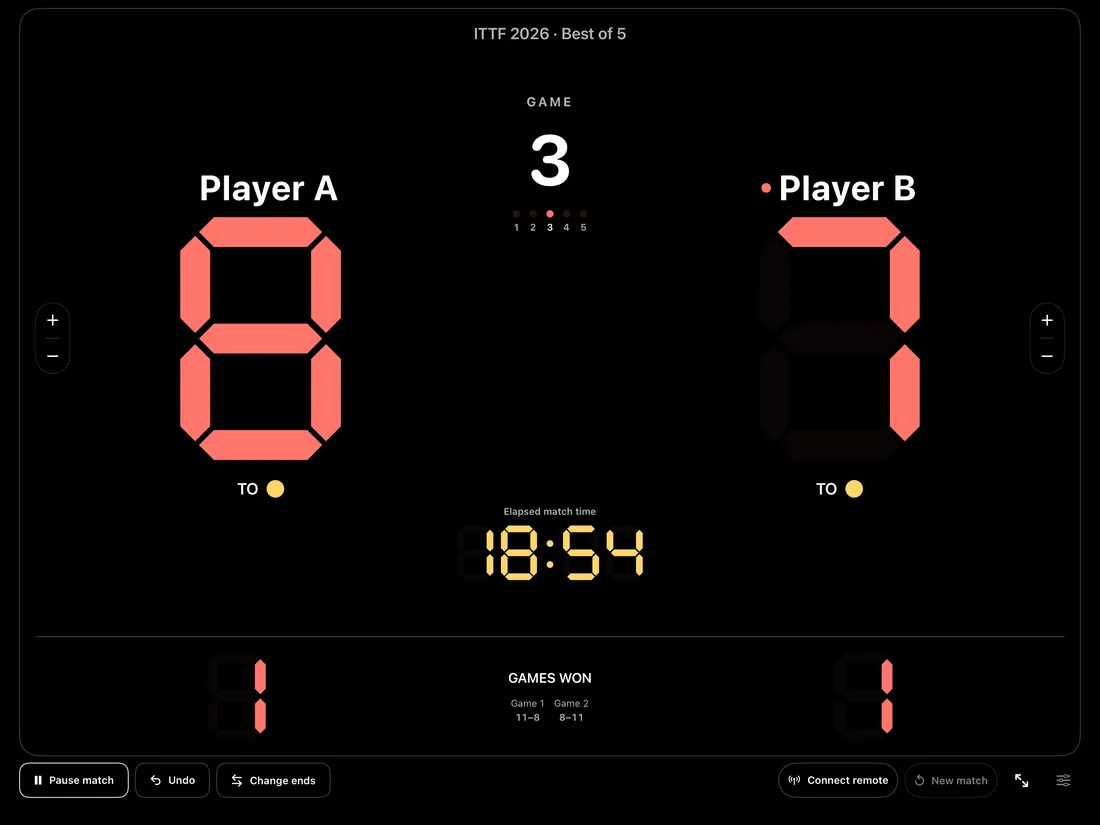
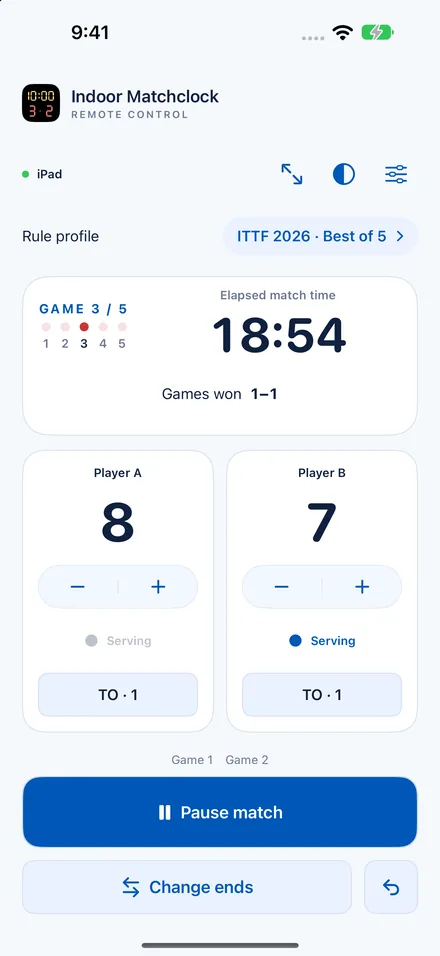
Keep every rally in view with a table-tennis scoreboard for points, games and service. Choose a best-of-five or best-of-seven match, record the score on your iPhone and follow the game results on your iPad.

Free download · 3-day trial · €9.99 permanent unlock · Pricing and trial

Table tennis · on iPad. Points, games and service together. Table tennis · on iPhone. Score and service controls on iPhone.

Set up table tennis

  1. Sport and rules

    Place the iPad in landscape. Open Match settings, choose your sport, enter the player or team names and select the match format or rule profile. Save when ready.

  2. Serve

    Choose the serving side after the toss. On the iPad, tap a name to correct the serving side. In doubles, the official manages which player serves and receives.

  3. Points

    After each rally, tap + for the side that wins the point, on iPad or iPhone. Use − to correct a point. After the deciding point of a game, you start the next game yourself.

  4. Time-outs

    Tap TO to start a time-out; the clock counts it down. Touch and hold TO to correct time-outs. Between games, the clock counts down the break.

  5. Results and changes

    Tap a played game result to correct it. Saving recalculates the games won and pauses the clock. Pause the clock to change match settings. Changing the sport or rule profile resets the score and starts a new match. Player or team names are kept.

One match. Two devices.

The iPad manages the clock, scores and sound. Your iPhone is the remote control. Pairing is local and encrypted, with no account or server.

How to pair your iPhone
iPad

The match desk

Keeps track of the match and sounds the final horn.

iPhone

The remote control

Shows the confirmed state and sends your commands.

Good to know.

Volunteers can use their own Apple Accounts without buying an unlock or joining a family group. The host iPad needs an active trial or permanent unlock. Use the Watch near the iPad.

Officials at the match table can also use an Apple Watch as the remote, close to the iPad. Use by players or referees on the field is not supported because Bluetooth range is limited.

Do I need internet or Wi-Fi in the sports hall?

The match does not need an internet connection. The devices can pair directly without a router. Wi-Fi and Bluetooth must be switched on. Test the range with your own devices and setup before the match.

Can players or referees use the Apple Watch on the field?

No. The Apple Watch remote is only intended for match-table officials and volunteers near the iPad. Use by players or referees on the field is not supported because Bluetooth range is limited. Test the connection at the match table before the match.

What happens if the iPhone loses its connection?

The iPad clock keeps running. The iPhone disables its controls when it stops receiving recent updates. Continue using the iPad. When you return to the iPhone app, it tries to reconnect to the approved iPad for the current match. A new match keeps pairing approval. Restarting an app, explicitly disconnecting or replacing the remote requires pairing again. If an action could not be confirmed, check the iPad before resuming control. Old commands are not sent again.

How do I change the language or appearance?

The app follows your preferred system languages: Dutch, French, English, German, Spanish, Portuguese, Italian, Polish, Croatian, Danish, Norwegian Bokmål, Swedish, Japanese, Korean, Simplified Chinese or Traditional Chinese, with English as the fallback. To choose a language for the app, open Settings → Apps → Indoor Matchclock → Language on your iPhone or iPad. On older iOS versions, Indoor Matchclock is directly under Settings. The Apple Watch follows the app language synced by Apple. Changing language restarts the app; a saved match reopens paused.

The iPad uses a black scoreboard. Use the theme icon on the iPhone for a light, dark or automatic appearance.

Does this replace the sports hall scoreboard?

The app is a tool for the match desk. Check which equipment your competition requires. Test audibility, Bluetooth delay and the speaker connection in advance; an iPad has different visibility from a large public scoreboard.

Other sports

Indoor Matchclock app icon

Bring clarity to your match desk.

Before your first match, open settings on the iPad to activate the free 3-day trial or buy the permanent unlock. iPhone and Watch remotes are free. Includes all six sports on every iPad signed in with the same Apple Account.

€9.99 is the Belgian price. Your local App Store price is shown before purchase. Activation, purchases and restoration may require internet; matches run locally.

Download on the App Store